Most uptime tools miss this failure. A site is up. The server answers, the page loads, every box on your dashboard is green. And the page itself says Database connection error. Or the deploy that went out last night quietly wiped the homepage. Or the checkout button is gone. The server is perfectly happy to serve you a broken page, and a basic check is perfectly happy to call that "up".
That's the one that bites agencies. Your client lands on their own site, sees the error you didn't, and the green all-clear makes it worse. "Everything looked fine on our end" is not a sentence you want to be explaining.
So a check that only asks did the page load isn't enough. You want to ask does the page still say what it's supposed to.
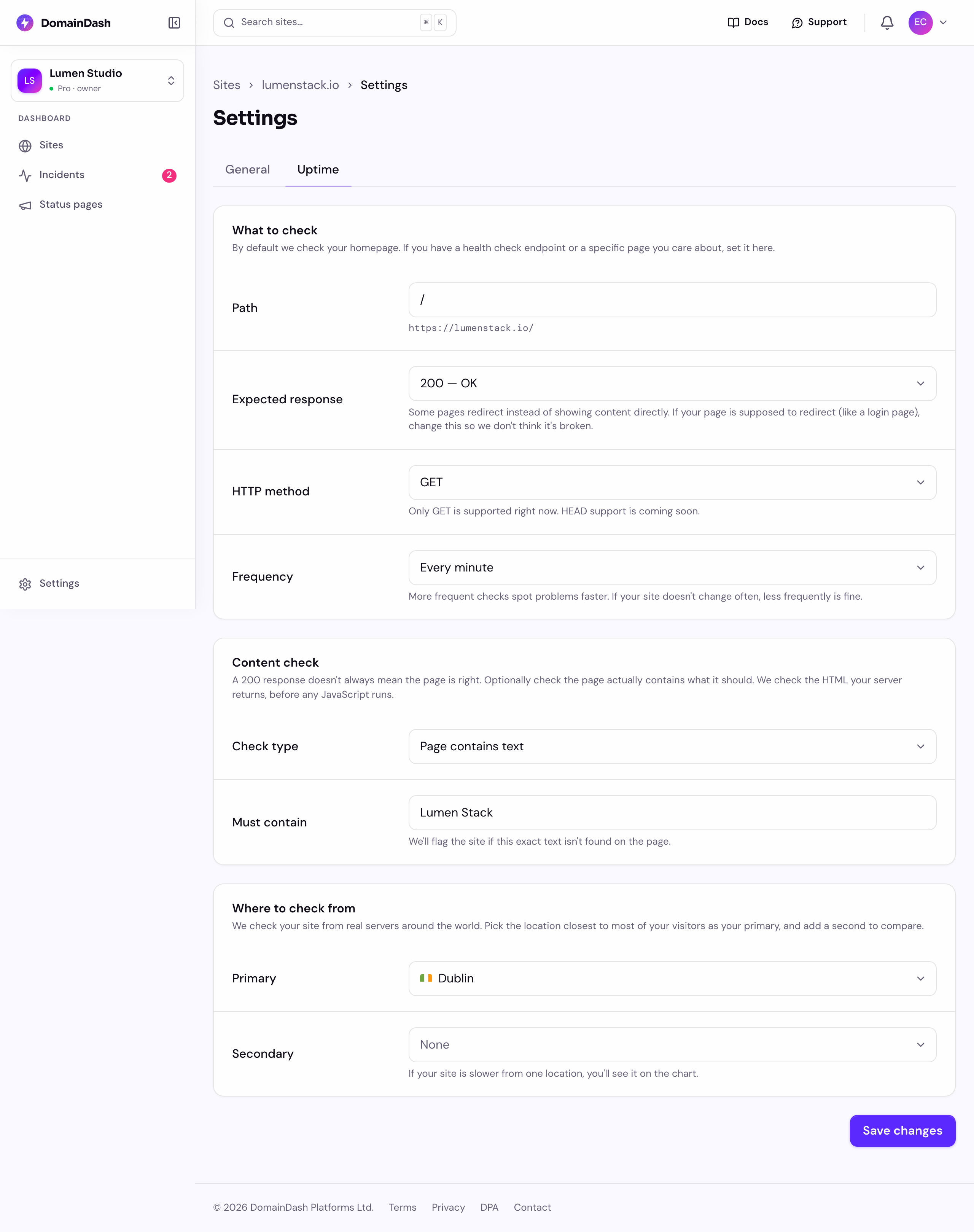
You can now check the content as well as the connection
On any site, you can add one content check on top of the usual uptime check. DomainDash keeps confirming the site responds, and now it also confirms the page contains what you tell it to. The site only counts as healthy when both are true.
There are three kinds, and most people only ever need the first:
- Text. A word or phrase that should be on the page. Your product name, a price, Add to basket, the copyright line in the footer. If it disappears, something broke.
- Element. A specific part of the page that should exist, named the way a developer would (a CSS selector). Useful for confirming the checkout form or the booking widget is rendering.
- Data. For an API or a JSON endpoint, a fragment the response should contain, like
{ "status": "ok" }. The check passes when the response still has it.
When the words go missing, it's an incident
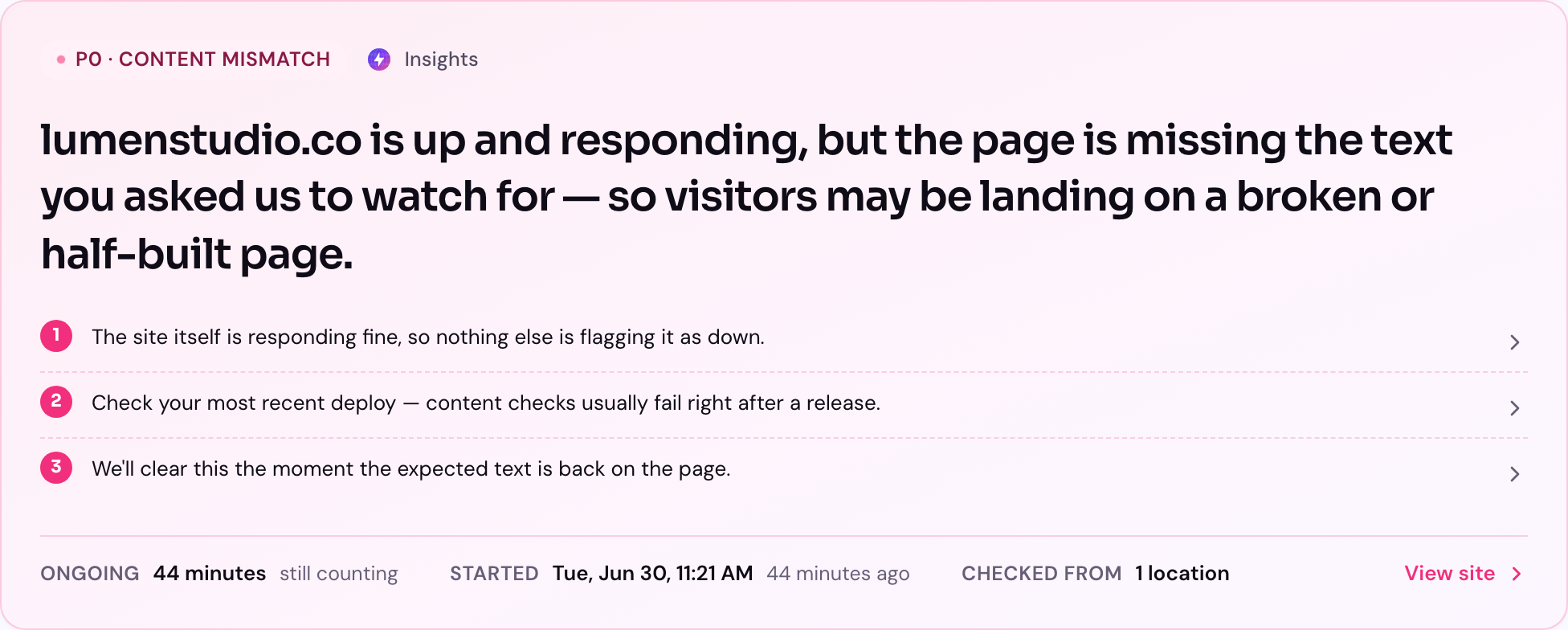
A failed content check counts as an outage. The site goes Down, and you get a proper incident, the same urgent alert you'd get if the site went down, through the same channels: email, Slack, SMS if you're on it.
The wording tells you what happened, though. When the site answered fine, the alert says the page is wrong. So you're not staring at a "down" alert for a site that's clearly responding, wondering what broke. To your customer, a homepage reading Database connection error is down, so we treat it with the same urgency, and tell you the truth about why.
We never keep the page
The check happens out at the edge, on the machine that fetches the page. It looks for your text, your element, or your data, works out yes or no, and sends back only that answer. The page contents themselves never travel to us and are never stored. We learn whether the check passed, and nothing else about what was on the page.
One honest limitation
The check reads the page as it's delivered, before any JavaScript runs in a browser. For most sites, that's the page your visitors get. But if your content is drawn entirely by JavaScript after the page loads (a single-page app), the check sees the empty shell, not the finished page, and your text won't be there to find. If that's you, point the content check at something server-rendered, or stick to the uptime check on its own. We'd rather tell you that up front than have you wonder why a check keeps failing.
Who gets it
Content checks are part of the Pro plan and up, under Advanced checks. You'll find the option in a site's uptime settings, right below the status check. Add a phrase, save, and the next check starts watching for it.
If you run client sites, this is the one I'd try on your own busiest page first. Pick a word that should never disappear from it, set a content check, and leave it. Then tell me whether the incident wording reads right the day something does break, because that's the moment it has to be clear. ed@domaindash.io, or grab me in the in-app chat.